
Cursor vs Claude Code
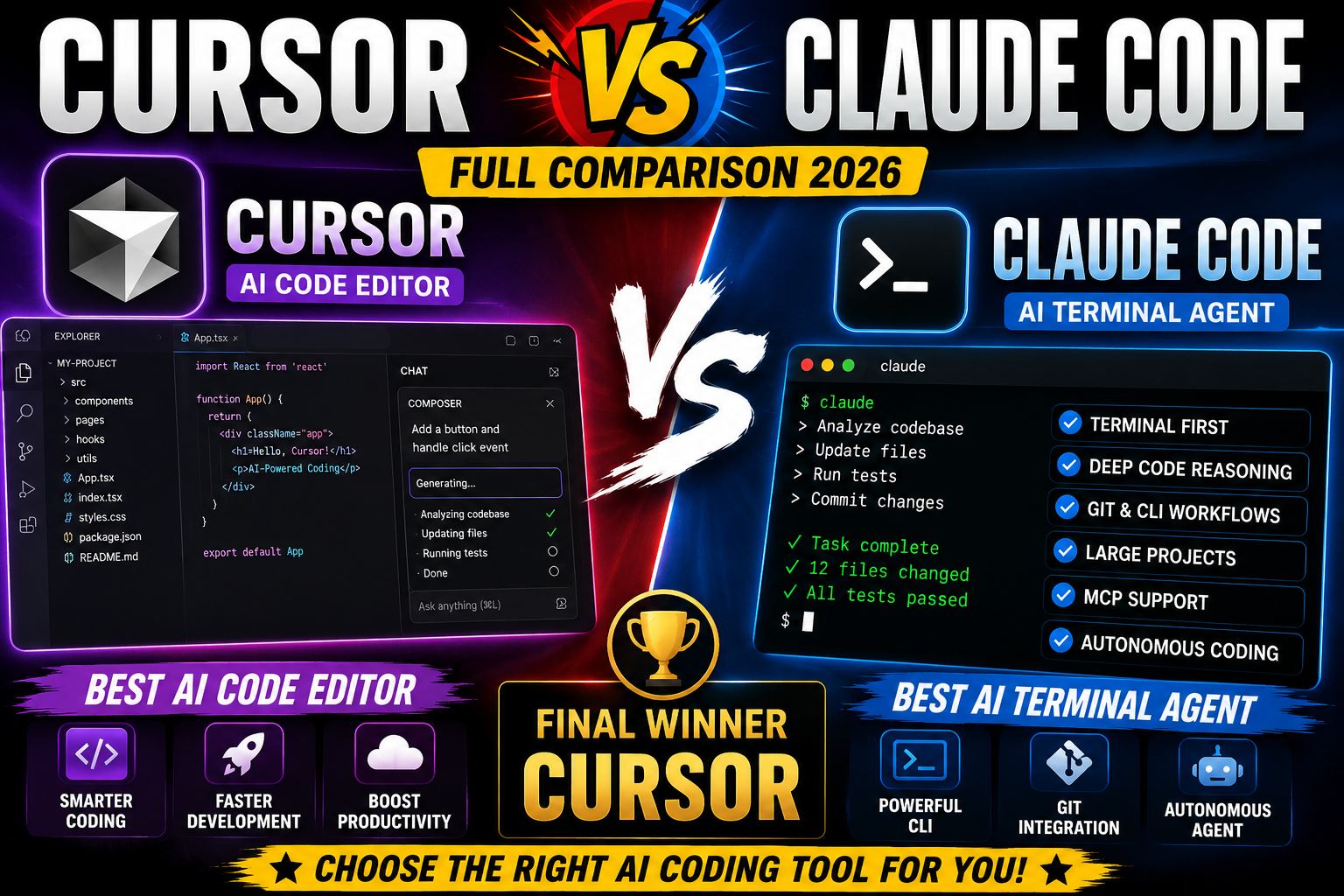
💻 Cursor vs Claude Code (2026) ✨
A full comparison of two leading AI coding tools — AI editor vs terminal agent, autocomplete, models, pricing, and which one fits your dev workflow.
| Feature | Cursor | Claude Code | Winner |
|---|---|---|---|
| Type | AI code editor/IDE | Terminal-based coding agent | — |
| Company | Cursor | Anthropic | — |
| Free Plan | Yes — Hobby | Claude Free, but Claude Code needs a paid plan | 🏆 Cursor |
| Starting Paid Plan | $20/month | $20/month | Tie |
| Main Interface | Visual editor | Terminal + IDE integrations | — |
| AI Code Completion | Excellent | Limited vs Cursor | 🏆 Cursor |
| Agentic Coding | Excellent | Excellent | Tie |
| Multi-File Editing | Yes | Yes | Tie |
| Terminal Commands | Yes | Excellent | 🏆 Claude Code |
| Codebase Understanding | Excellent | Excellent | Tie |
| Model Choice | Many frontier models | Primarily Claude models | 🏆 Cursor |
| MCP | Yes | Yes | Tie |
| Subagents | Yes | Yes | Tie |
| Cloud Agents | Yes | Not the same focus | 🏆 Cursor |
| Browser Tools | Yes | Via integrations/workflows | 🏆 Cursor |
| Ease of Use | Winner | More technical | 🏆 Cursor |
| Overall | Winner | Excellent alternative | 🏆 Cursor |
- AI code completion & Agent mode
- Multi-file editing, codebase search & terminal execution
- Cloud Agents, MCP, skills & hooks
- Model-agnostic: Claude, OpenAI, Google & more
- Terminal-first agentic workflow
- Strong codebase reasoning & Git workflows
- Scriptable CLI with session continuation
- Native Claude models optimized for software dev
Free Plan Comparison
🏆 Free winner: Cursor — its Hobby tier includes limited Agent functionality, while Claude Code requires a paid plan
| Free Feature | Cursor Hobby | Claude Free |
|---|---|---|
| Price | $0 | $0 |
| AI Chat | Yes | Yes |
| Coding Assistance | Limited | Yes |
| Agent Usage | Limited | Claude Code not included |
| Code Completion | Yes | Not comparable to Cursor |
| Codebase Work | Limited | Claude app capabilities |
| Terminal Agent | Yes, limited Agent | No Claude Code on Free |
| Web Access | Yes | Yes |
| File Creation | Yes | Yes |
| Best Use | Trying Cursor | Trying Claude |
Paid Plan Comparison
Both start at $20/month, but scale differently at higher tiers
Cursor Pricing
Claude Code Pricing (via Claude plans)
Cursor Pro vs Claude Pro ($20/mo)
The most important comparison — both cost about the same
| Feature | Cursor Pro | Claude Pro |
|---|---|---|
| Price | $20/mo | $20/mo |
| AI Editor | Yes | No dedicated AI editor |
| Agent | Yes | Claude Code |
| Terminal | Yes | Excellent |
| Code Completion | Excellent | Not its primary strength |
| Multiple Models | Yes | Primarily Claude |
| Claude Models | Yes | Native |
| OpenAI Models | Yes | No |
| Google Models | Yes | No |
| Codebase Reasoning | Excellent | Excellent |
| Cloud Agents | Yes | Different workflow |
| General AI Assistant | Good | Excellent |
| Projects | Yes | Yes |
| Ease of Use | Excellent | Very good |
AI Models
Cursor is model-agnostic, supporting Claude, OpenAI and Google models. Claude Code wins if you specifically want the Claude ecosystem.
🏆 Cursor (flexibility)Coding Ability
Cursor offers a better overall developer experience; Claude Code excels at deep terminal-based coding.
🤝 TieCode Autocomplete
Cursor is built as an AI code editor, so autocomplete and inline assistance are central to the experience.
🏆 CursorTerminal
Claude Code was designed around the terminal, with commands, scripting and automated workflows.
🏆 Claude CodeEase of Use
Download the editor and start chatting with Cursor's Agent — much easier for beginners than a CLI workflow.
🏆 CursorCloud/Background Coding
Cursor's Cloud Agents let work be handed off to the cloud rather than staying local to your editor.
🏆 CursorCursor vs Claude Code
Editorial comparison score based on the feature-by-feature assessment above.
Overall Winner & Needs Match
Cursor
- AI IDE + Agent + autocomplete in one app
- Multiple frontier AI models
- Terminal, browser & cloud agents
- MCP support & debugging tools
- Not locked into one AI provider
- Beginner developers
- Full-stack & web developers
- React/Next.js & Python users
- Teams wanting model choice
- Visual coding environments
🤝 Best for Different Needs
| Need | Winner |
|---|---|
| Free AI Coding | Cursor |
| AI Autocomplete | Cursor |
| Multiple AI Models | Cursor |
| Cloud Agents | Cursor |
| Terminal Coding | Claude Code |
| Claude Model Access | Claude Code |
| Deep CLI Workflow | Claude Code |
| Git/CLI Workflow | Claude Code |
| MCP Support | Tie |
| Overall | Cursor |
💻 Choose Cursor if you are:
- A beginner or web/full-stack developer
- Building websites or SaaS products
- Using React/Next.js or Python
- Wanting AI autocomplete & multiple AI models
- Wanting a visual coding environment & cloud agents
⌨️ Choose Claude Code if you are:
- An experienced, terminal-heavy developer
- A Git power user
- Working on large repositories
- Automating development tasks
- Deeply invested in the Claude ecosystem
Cursor
- Excellent AI editor & autocomplete
- Powerful Agent & multiple AI models
- Easy to use, multi-file editing
- Cloud Agents, checkpoints & browser tools
- Heavy Agent use can consume usage quickly
- Higher tiers can become expensive
- Model usage varies by model
Claude Code
- Extremely powerful terminal agent
- Excellent code reasoning & Git/CLI integration
- MCP support & scriptable CLI
- Pro plan includes both Claude + Claude Code
- Free Claude doesn't include Claude Code
- Terminal learning curve
- Max plans become expensive at scale
🥇 Overall Winner: Cursor — 9.3/10
Cursor offers a more complete package: AI IDE + Agent + autocomplete + multiple models + terminal + browser + cloud agents + MCP + debugging. Its biggest advantage is flexibility — you're not locked into one AI model provider. If your priority is terminal-based autonomous coding and deep Claude-powered development, Claude Code (9.1/10) is the stronger specialist choice.