

Skip to content

Tools Spark Ai

  • Home
  • AI Tools
  • Categories
  • Tutorials
  • AI Comparisons
  • Al News
  • Prompt Library
  • Blogs
  • About Us
  • Contact Us
  • Home
  • AI Tools
  • Categories
  • Tutorials
  • AI Comparisons
  • Al News
  • Prompt Library
  • Blogs
  • About Us
  • Contact Us

Speechify AI Guide

Learn how to set up, customize, and use Speechify AI step by step to convert text into natural-sounding speech and boost your reading productivity.

Step-by-Step Guide

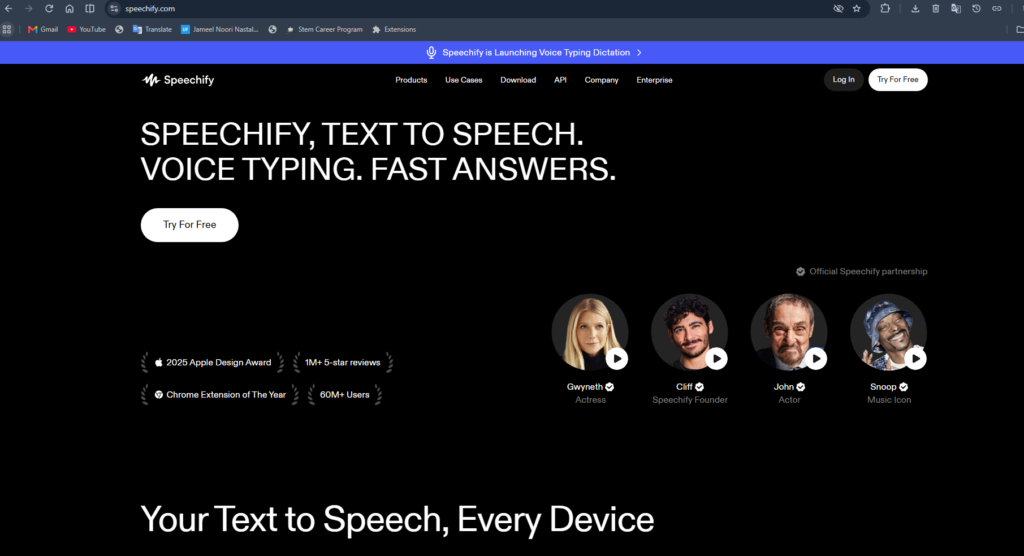
Step 1: Open Speechify

Open your preferred web browser and visit the Speechify website.

If you already have a Google account, click Sign In.

If you’re new to Google, create a free account before continuing.

Step 2: Create a Speechify Account

  1. Visit the Speechify website.
  2. Click Try Free or Sign Up.
  3. Create an account using Google, Apple, or Email.
  4. Verify your email if prompted.

Step 3: Import Content

You can import:

  • PDF files
  • Word documents
  • Articles
  • Websites
  • Google Docs
  • Typed or pasted text


Click Upload or Paste Text to add content.

Step 4: Select an AI Voice

  1. Open your document.
  2. Click the Voice dropdown.
  3. Choose your preferred narrator.
  4. Preview different voices before selecting one.

Step 5: Adjust Reading Speed

Use the speed slider to set playback from slower to much faster reading, depending on your preference.

Step 6: Start Listening

Click Play.

Speechify will begin reading your document aloud. You can:

  • Pause
  • Skip
  • Rewind
  • Resume anytime

Step 7: Use AI Features (Optional)

Depending on your plan, you can:

  • Generate AI summaries
  • Ask questions about documents
  • Create AI podcasts
  • Use voice typing
  • Convert documents into presentations or quizzes

Step 8: Install the Chrome Extension

  1. Open the Chrome Web Store.
  2. Click Add to Chrome.
  3. Pin the extension.
  4. Open any webpage.
  5. Click the Speechify icon.
  6. Press Play to have the page read aloud.
Official Website
Andriod App
Iso App

Tools Spark Ai

Quick Link

  • Home
  • AI Tools
  • Categories
  • Tutorials
  • AI News
  • Prompt Library
  • Blogs
  • About Us
  • Contact Us

Categories

  • Writing AI
  • Coding AI
  • Image AI
  • Video AI
  • Voice AI
  • Music AI
  • Marketing
  • SEO
  • Education

get started

  • AI Knowledge
  • View Tutorials
  • Prompt Engineering
  • Blogs

oUR mISSION

Our mission is to make AI accessible by bringing the best AI tools, guides, and resources together in one place. We provide expert tutorials, prompt libraries, tool comparisons, and pricing information to help users make informed decisions. Whether you’re a beginner or a professional, we simplify AI learning with clear, practical guidance. We aim to empower everyone to discover, compare, and use AI with confidence.