Imagine building, debugging, and refining software with just a few words to an AI assistant. Modern programming services are changing fast. This guide will help you use Claude Code to its fullest in 2026.
Whether you’re an experienced developer or new to coding, knowing these tools is key. We’ll show you how to use them, their main features, and what they cost. This will help you choose the right tools for your projects.
These advanced systems can automate boring tasks. This lets you focus on the big picture. Let’s see how you can use these tools to write software faster and better than before.
Key Takeaways
- Learn how to integrate AI assistants into your existing development environment.
- Understand the core features that differentiate top-tier AI coding tools.
- Review current pricing models to choose the best option for your budget.
- Discover best practices for debugging and building software with AI support.
- Gain insights into the future of automated programming workflows for 2026.
What is Claude Code?
Modern software development is changing fast, and Claude Code is leading the way. The need for tools that make complex tasks easier is growing. You need to know how these tools can help with your projects.
Overview of Claude Code
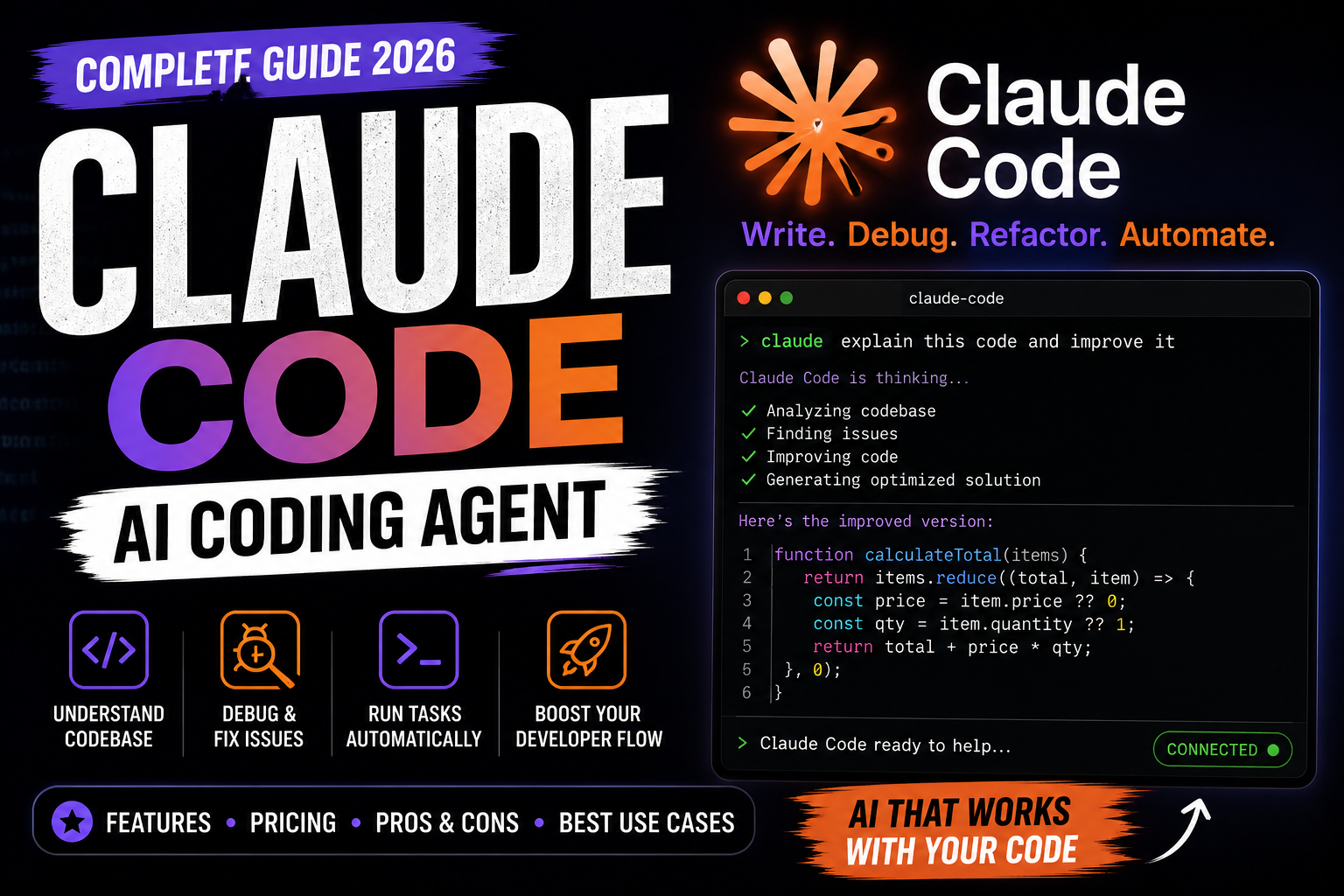
Claude Code is an AI assistant made for programmers. It works as a smart partner, understanding your code and suggesting improvements. It also helps find and fix errors right away.
By doing routine tasks, it lets you work on the big ideas and solve problems creatively.
“The best way to predict the future of technology is to build it with tools that amplify human efficiency.”
This tool fits into your daily work, whether alone or with a team. It turns your ideas into code, keeping quality and security high. Efficiency is its main goal.
Benefits of Using Claude Code
Using Claude Code boosts your productivity a lot. It saves time on simple code, letting you work on harder features. This makes your work flow better and keeps you focused.
It’s also great for all levels of programmers. Whether you’re experienced or new, it offers insights that match your skills. Using this tech keeps your software development up to date and effective.
Key Features of Claude Code
Modern coding solutions need tools that fit your needs. Claude Code has features for efficiency. Knowing these core functions helps pick the right tools for 2026.
The platform handles complex tasks and keeps developers productive. It supports solo projects or large applications. These features keep your workflow moving.
User-Friendly Interface
The interface is simple, so you spend less time navigating. It’s intuitive, making it easy to switch between projects. This design reduces cognitive load, keeping you focused on your code.
This clean design is a big plus for developers. It speeds up your work and keeps your environment clear.

Advanced Coding Capabilities
Claude Code has advanced AI-driven logic for debugging and code generation. It’s a smart partner that suggests solutions quickly. This helps you fix errors faster than usual methods.
It automates repetitive tasks, keeping your development cycle fast. You can focus on the big picture while it handles the basics.
Integration with Popular Tools
Compatibility is key for coding solutions. Claude Code works well with your tech stack. It connects smoothly with version control systems and cloud environments.
This makes switching to Claude Code easy. It fits into your workflow, improving your processes without big changes.
Real-Time Collaboration
Team work needs tools for instant communication and shared visibility. Claude Code supports real-time collaboration. Multiple developers can work on code together.
This is essential for remote teams. It keeps everyone on the same page during important tasks. It prevents version conflicts and keeps the team in sync.
How to Get Started with Claude Code
Starting with Claude Code is easy, whether you’re a solo developer or a tech consultant. A clean setup keeps your environment stable and grows with your projects. This makes sure your work stays organized and efficient.
By following a clear onboarding process, you can skip common setup issues. This lets you focus on writing great code without getting stuck on tool problems.
Creating an Account
First, visit the official site to sign up. You’ll need a valid email and to verify your identity securely.
After your account is active, check your security settings. Enabling multi-factor authentication is a good idea to keep your work safe.
Setting Up Your Workspace
With your account ready, set up your local environment. This means installing CLI tools and linking your code repositories.
If you offer programming services, having a standard workspace is key. Create templates to quickly start new projects. This saves you a lot of time.
Consistency is the key to quality work. Documenting your setup ensures every project starts strong. This saves time and cuts down on mistakes.
Pricing Plans for Claude Code
Choosing the right plan for your workflow means looking at your project needs and budget. Whether you’re a solo freelancer or part of a big team, knowing the cost is key for success in web development.
By checking what you really need, you can make sure Claude Code is worth your time and money. It’s important to match the features with how you use the tool every day.
Free vs Paid Versions
The free version is for solo developers or those on small projects. It lets you try out the main features without spending money.
But, for serious web development, you might need more features. If you’re hitting limits or need advanced tools, consider a paid plan.

Breakdown of Pricing Tiers
When picking a tier, think about a few key things. These will help you choose the best plan for your work:
- Project Scale: Is your project big and complex, needing lots of API calls?
- Collaboration Needs: Do you need to work with others in real-time?
- Usage Frequency: Do you use Claude Code a little or a lot every day?
- Support Requirements: Do you need fast help from tech support?
The best plan for Claude Code is one that grows with your business. By looking at your current work and future plans, you can pick a plan that’s cost-effective yet powerful for making great software.
Using Claude Code for Developers
Claude Code can greatly improve your work flow at every stage of development. It’s a helpful tool that makes complex programming tasks easier and more precise.
Ideal Use Cases
This tool shines when you’re working on anything from simple scripts to big applications. It’s great for automating tasks like writing basic code, testing, and updating old systems.
In web development, it’s useful for making CSS layouts and setting up APIs fast. Here are some situations where it really helps:
- Planning: It helps break down big tasks into smaller, doable steps.
- Debugging: It finds errors in your code.
- Implementation: It helps write parts of your code based on your design.
- Review: It checks your code for performance and security issues.
Best Practices for Fast Development
To work fast and keep quality high, use Claude Code wisely. Remember, it’s there to help, not replace your own skills.
For web development, follow these tips to keep your work reliable:
- Validate generated code: Always test your code before using it in production.
- Protect sensitive information: Make sure your prompts don’t include private data.
- Review technical decisions: Check if the AI’s suggestions fit your project’s needs.
Working with software development and AI together can speed up your work. But, always check your work to keep it solid. Consistency in checking your work is key to success.
Claude Code for Beginners
Building top-notch digital solutions is easier than ever for beginners with Claude Code. Starting in 2026, this tool is a great partner in your development. By focusing on the basics, you’ll quickly become more confident.

Learning Resources
To get good at Claude Code, start with the official guides. These guides give you a structured path from the basics to advanced use. You can also find tutorials on GitHub or developer forums, which make learning more real-world.
Being consistent is important when you’re starting. Try to set aside time each week to learn new things. This keeps you up-to-date with the latest in the field.
Tips to Enhance Your Skills
Improving your skills comes from deliberate experimentation. Start with small projects to test features without stress. This way, you learn how to write better prompts and improve your output.
Here are some tips to grow faster:
- Practice daily: Spend time on small coding tasks to build muscle memory.
- Review your code: Always check the suggestions from the tool to learn better syntax.
- Refine your prompts: Try different instructions to see how they affect your digital solutions.
- Join a community: Share your work with others to get feedback and new ideas.
By using these methods regularly, your coding skills will improve fast. Remember, every expert started as a beginner. Your hard work will lead to mastery over time.
Comparing Claude Code with Other Tools
When you compare Claude Code to big names in the industry, you see which tool fits your needs best. Many developers use well-known editors. But, AI tools like Claude Code are changing how we write software.
Choosing the right tool depends on your project needs and how you feel about using AI. By looking at these coding solutions, you can choose between a traditional editor or an AI-based tool.

Claude Code vs. Visual Studio Code
Visual Studio Code is famous for its huge library of extensions and customization options. It’s like a blank canvas for any programming language or framework.
Claude Code, on the other hand, uses AI to automate tasks right in your terminal. Unlike VS Code, which needs plugins for AI, Claude Code offers a seamless experience for those who value speed.
Claude Code vs. IntelliJ IDEA
IntelliJ IDEA is a top choice for big, complex projects. It has amazing code analysis and refactoring tools, perfect for Java or Kotlin.
If you work on huge codebases with strict rules, IntelliJ is a great pick. But, if you want fast development and a modern approach, Claude Code might be better.
Think about these important points when deciding:
- Project Complexity: Do you need deep refactoring or quick script making?
- Workflow Preference: Do you like a GUI or a terminal AI assistant?
- Learning Curve: Are you okay with a new AI command structure instead of familiar menus?
- Automation Needs: How much of your coding do you want an AI to handle?
Troubleshooting Common Issues
Building your coding expertise means learning to fix common software problems. Even the best tools can sometimes fail. But, with a good plan, you can quickly fix issues.
Start by writing down error messages. Then, test one change at a time. This helps you find the main problem.

Login Problems
Having trouble logging in? First, check your internet connection. A strong connection is key for Claude Code to log you in right.
If your connection is good, make sure your login info is correct. Watch out for hidden spaces.
Browser cache or old session tokens can also cause problems. Here’s how to fix them:
- Clear your browser cache and cookies to remove bad data.
- Try logging in with an incognito or private window.
- Make sure your account is active and not locked by security.
Performance Issues
Is your app slow? It might be because of how your workspace is set up. Running too many heavy tasks at once can slow things down. It’s important to check your system resources.
To make things run smoother, look into these areas:
- Make sure your computer meets the needed specs for smooth use.
- Update your software regularly, as updates often improve performance.
- Reduce the number of extensions or plugins that use up memory.
Always write down error codes when you see them. This makes it easier to find a solution or get help from tech support.
Integrations and Extensions
Choosing the right extensions for Claude Code helps tailor your workflow. It’s wise to pick only what you really need. This way, you avoid clutter and keep your work environment efficient.

Compatible Platforms
Claude Code works well on Windows, macOS, and Linux. This means you can code on any platform without changing your style.
Think about how the tool fits with your cloud setup. Tools that work with containers or remote servers can speed up your work. Make sure your chosen platform meets the system requirements to avoid slowdowns.
Popular Extensions to Enhance Functionality
Extensions are key to making your setup powerful. They can automate tasks, improve code, and offer insights into your project. Always check the permissions of new extensions to keep your security high.
Here are some important categories for your workflow:
- Version Control Helpers: Tools that make Git easier to use right in your editor.
- Linter and Formatter Plugins: Extensions that help follow style guides and find errors fast.
- API Documentation Tools: Plugins that give you quick access to library docs without leaving your editor.
- Deployment Integrations: Modules that connect your local code to cloud-based digital solutions.
Keeping your extensions up to date is important. Check them regularly and remove unused ones. A clean workspace is a best practice that prevents problems and keeps your environment smooth.
Community and Support for Claude Code
Whether you’re a solo developer or a tech consultant, finding help is key. Documentation helps, but real-world problems need more. The right resources keep your projects on track.
User Forums and Groups
Online forums and groups are a vibrant hub for help and tips. Always check if your problem has been solved before asking. This saves time and helps you avoid common mistakes.
When asking for help, give reproducible details like error logs and code snippets. Clear info helps others help you better. But remember, community advice might not always be up-to-date for Claude Code.

Official Support Channels
For a tech consultant, official support is a must. These channels offer verified solutions and stability. Good escalation habits ensure critical issues get fixed by the developers.
When reaching out to official support, keep a detailed record of your steps. This helps support teams solve problems quickly. Using these resources keeps your Claude Code projects reliable for clients.
Future of Claude Code
The world of software development is always changing. New tools come out to make your work easier. It’s important to think about how these tools will help you in the long run.
Focus on security, how well tools work together, and how much they improve your work. This will help your projects do well in 2026.
Anticipated Innovations
Developers are looking forward to more automation and better understanding of your needs. Claude Code is getting smarter with advanced machine learning. This means less repetitive work for you and more focus on your creative ideas.
Building Sustainable Skills
Learning new tools takes time and effort. You need to keep practicing and learning. Try out new features on real projects to see how they work.
Stay interested in how these tools change your work. Keep improving your skills to stay competitive in the industry.