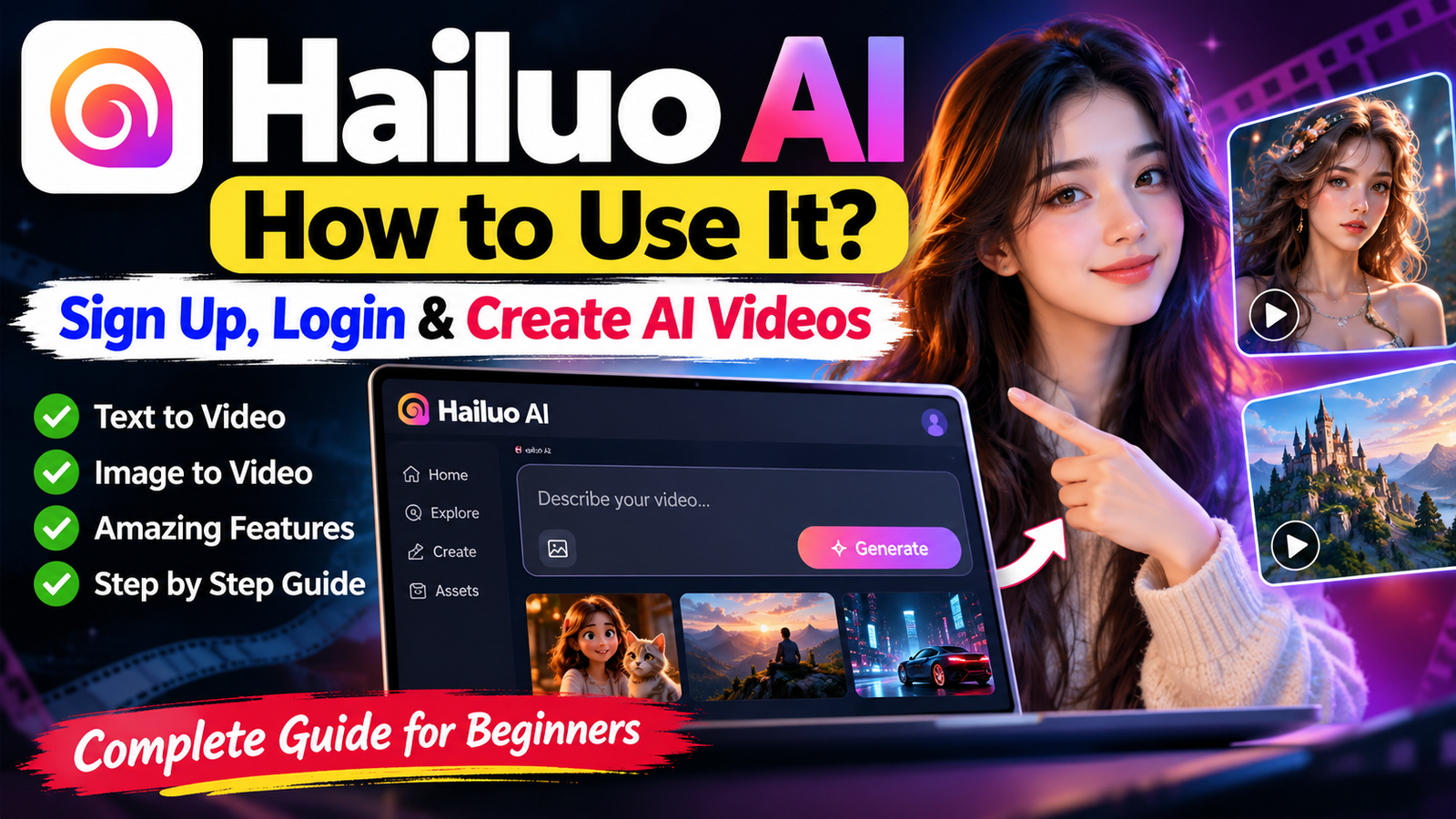
Creating high-quality videos no longer requires costly software, advanced editing skills, or hours of manual work. Hailuo AI uses smart technology to turn ideas, text prompts, and images into engaging clips.
Beginners, content creators, and marketers can use this platform to test creative ideas with ease. This hailuo ai guide helps United States readers use the platform with confidence.
We will guide you through Hailuo AI, from account setup and login to its core features. You will learn to write effective prompts, create stunning visuals, and explore pricing options or alternatives for your needs.
Key Takeaways
- Learn how to sign up and access your account quickly.
- Master the art of writing prompts for better video results.
- Discover how to transform static images into dynamic motion.
- Understand the current pricing structure and available plans.
- Explore top alternatives to expand your creative toolkit.
What Is Hailuo AI?
Hailuo AI connects your imagination with visual storytelling. It lets you create high-quality videos without expensive equipment or advanced editing skills. Its machine learning models read your intent and create cinematic results.
“The future of creativity lies in the seamless collaboration between human vision and artificial intelligence.”
How Hailuo AI Works
Understanding how hailuo ai works is simple when you know its core input methods. The platform uses two main paths: text-to-video and image-to-video generation. When you enter a text prompt, the system turns your words into a visual scene.
You can also upload a static image as the foundation for your animation. The AI adds motion and depth, turning a still frame into a dynamic video sequence. This approach gives you control over your project’s creative direction.
What Can You Create With Hailuo AI?
The platform offers many creative possibilities. You can create engaging social media content, professional marketing visuals, or unique artistic concepts that could take hours manually. Since the system handles the hard work, you can focus on storytelling.
Many users rely on the various hailuo ai features to build storyboards or visualize complex ideas quickly. Business owners can improve their brand presence, while creators can experiment with new styles. The tool removes technical barriers that can block your vision.
Hailuo AI Key Features

The hailuo ai video generator offers powerful tools that turn creative ideas into finished videos. It uses advanced machine learning to simplify complex production tasks through clear digital workflows.
The system supports cinematic sequences and short social media clips with high-quality output. You can test different styles and choose the right look for your project.
Text-to-Video Generation
This feature turns written descriptions into vivid, moving scenes. Type a detailed prompt, and the hailuo ai ai video generator builds a visual narrative from your words. It helps you test ideas quickly or create content without raw footage.
Image-to-Video Generation
If you have a static image, you can bring it to life with animation. The tool studies your photo’s composition and adds dynamic motion to selected elements. It can turn still portraits or landscapes into engaging short-form videos.
AI Video Effects and Motion
The built-in motion and effects library adds professional polish with ease. You can control movement intensity so your video feels natural and fluid. These AI-driven enhancements create cinematic quality without costly software or advanced editing skills.
Prompt-Based Video Creation
The platform uses clear, descriptive instructions to guide video generation. Refine your prompts to control lighting, camera angles, and character behavior. This iterative approach helps your final video match your creative intent.
How to Sign Up for Hailuo AI
Start your AI video journey with a quick, easy registration process. Completing the hailuo ai sign up is the first step toward advanced creative tools that turn your imagination into reality.
“The future of creativity lies in the seamless collaboration between human intent and machine intelligence.”
Step 1: Visit the Official Hailuo AI Website
Open the official website in your preferred web browser. Check that you use the legitimate domain to protect personal information and access the latest features.
Step 2: Create Your Hailuo AI Account
On the homepage, find the registration button to start your hailuo ai account setup. You will usually provide a valid email address and create a secure password for your workspace.
Choose a strong password with a mix of characters. This helps keep your projects private and secure while you explore the platform’s capabilities.
Step 3: Verify and Complete Your Profile
After submitting your details, check your email inbox for a verification link. Clicking the link confirms your identity and activates access to the video-generation workspace.
After verification, take time to complete your profile information. These details help the system tailor your experience and give you full access to all available creative tools.
How to Log In to Hailuo AI

After registering, you can easily return to your workspace. A smooth hailuo ai login helps you focus on creative projects without delays.
Hailuo AI Login Steps
Visit the official website and find the sign-in button. Enter the email address and password you used during registration.
Follow these steps for a successful session:
- Visit the official platform homepage.
- Click on the Login button located in the top right corner.
- Enter your registered email address and secure password.
- Click the submit button to enter your personalized dashboard.
“Consistency in your login habits helps maintain the security of your account and ensures that your generated media remains organized and accessible.”
What to Do If You Cannot Log In
If you have trouble with the hailuo ai login process, stay calm. Most access problems come from simple errors that quick checks can fix.
Check that caps lock is off and your credentials are correct. If you forgot your password, use the “Forgot Password” link to request a reset email.
If access still fails, check your internet connection or clear your browser cache. If these steps do not work, contact support to confirm your account is active and verified.
How to Use Hailuo AI to Create a Video
To learn how to create videos with Hailuo AI, follow this simple guide. The platform is user-friendly, so beginners can make stunning visual content without advanced technical skills. Learning how to use Hailuo AI can transform your creative workflow.
Step 1: Open the Video Generation Tool
After logging into your account, go to the main dashboard. There, you will see a clear button or tab labeled “Create” or “Generate.” Click it to open the main video generation interface, where all creative tools are located.
Step 2: Choose Text-to-Video or Image-to-Video
Choose Text-to-Video if you want to describe a scene from scratch, or choose Image-to-Video if you have a specific reference image to animate. Choosing the right mode begins the process of learning how to create videos with Hailuo AI.
Step 3: Write an Effective AI Video Prompt
After choosing a mode, find the text box for your instructions. Be as descriptive as possible so the AI understands your vision. A well-crafted prompt should include the subject, environment, and desired video mood.
Step 4: Generate Your AI Video
When your prompt or image upload is ready, click the “Generate” button to begin. The system analyzes your input and starts rendering your video. Knowing how to use Hailuo AI means understanding that clear, detailed instructions shape the final output.
How to Write Better Hailuo AI Prompts

Prompt skills unlock better results in AI video generation. Vague instructions make the model guess your intent, often causing generic or uneven visuals. By writing effective hailuo ai prompts, you control your project’s creative result.
Use Clear Subject and Action Descriptions
Begin by naming your video’s main subject. Instead of saying “a dog,” describe its breed, appearance, and action. Specificity helps AI know what to render.
For example, say whether the subject runs, sits, or interacts with an object. A clear action description makes movement look natural and purposeful, not random or blurry.
Describe Camera Movement and Style
For a professional video, define how the camera moves. Use terms like “cinematic pan,” “slow zoom,” or “handheld tracking shot” to guide the perspective. These technical details turn a static image into a dynamic visual experience.
Also, name the artistic style to set the mood. You may want a photorealistic look, a vintage film aesthetic, or vibrant 3D animation. Stating this in your hailuo ai prompts aligns the output with your vision.
Add Lighting, Setting, and Visual Details
The setting and lighting bring a scene to life. Describe the time of day, such as “golden hour sunlight” or “dim neon-lit alleyway,” to create the atmosphere. These details give AI context for rendering shadows, reflections, and textures correctly.
Include background elements that add depth to your composition. Layering these visual cues makes your final video rich, immersive, and tailored to your needs.
Hailuo AI Pricing: Free vs Paid
Knowing AI video tool costs helps you plan your creative workflow. Before choosing a platform, compare its tiers with your production needs and budget.
Hailuo AI Free Plan
Many users begin with the hailuo ai free tier. It lets you test the platform without paying upfront. You can try prompts and see how the engine handles your creative vision.
Free access often has limits. These may include daily generation caps, watermarks on final output, or slower processing during peak hours.
Hailuo AI Paid Plans
If you need more consistent creative output, consider a paid subscription. These plans support power users who need reliable access and higher production volumes.
Paid tiers usually offer a smoother experience than the hailuo ai free version. A subscription adds features that streamline professional projects and reduce wait times.
What You Get With Paid Credits or Plans
A paid plan usually raises the limit for your creative work. These benefits offer more value as your projects become more complex.
- Increased Generation Limits: Create more videos per day without hitting a wall.
- Priority Processing: Enjoy faster rendering speeds for your AI-generated content.
- Advanced Export Options: Access higher resolution files or cleaner exports without platform branding.
- Exclusive Features: Gain early access to new tools or advanced motion controls.
Service terms and pricing can change, so check the latest allowances on the official website. Reviewing current hailuo ai free limits and paid credit structures helps you make an informed choice for your goals.
Pros and Cons of Hailuo AI

Before you commit time, assess a video generation tool’s strengths and weaknesses. Hailuo AI offers strong features, but hailuo ai pricing and performance can shape your creative workflow.
Pros of Hailuo AI
Its user-friendly interface lets you create high-quality videos with little technical knowledge. You can turn simple text prompts into dynamic visual content, making it useful for rapid prototyping.
The tool also offers creative flexibility. It can animate static images or create complex scenes from scratch with consistent motion and artistic flair. Many users find its output highly competitive with more expensive professional software.
Cons of Hailuo AI
Despite its strengths, output consistency can affect your experience. Complex prompts may create unexpected visual artifacts or motion glitches, so you may need several attempts.
Review the hailuo ai pricing structure to ensure it matches your budget. Heavy users may find credit limits on certain plans restrict large content volumes without extra investment. Processing time can also change with server load, which may affect tight production deadlines.
Who Should Use Hailuo AI?
Whether you are a seasoned professional or just starting, knowing who benefits most from this tool matters. Its versatile features support creative needs, from rapid prototyping to high-quality visual storytelling.
For Content Creators
If you create social media content or digital stories, this tool is a game-changer for your workflow. You can quickly create short-form video ideas without a large production budget.
Experimenting with new visual styles helps you stand out in crowded feeds. Text-to-video tools turn abstract ideas into polished clips in minutes and keep audiences engaged with fresh content.
For Marketers and Businesses
Marketing teams often need high-quality visual assets on a tight schedule. This platform helps you create promotional videos that clearly show your brand identity.
You can produce professional-grade advertisements or social media teasers that match your campaign goals. It is an efficient solution for businesses scaling video production while keeping a consistent style across channels.
For Beginners
If you are new to generative AI, this platform offers a welcoming place to begin. Our comprehensive hailuo ai tutorial for beginners helps you use the interface and create your first video with confidence.
The intuitive design removes technical barriers found in many video editing programs. Learning prompt engineering basics is straightforward, so you can focus on creativity instead of complex settings.
Tips for Getting Better Results With Hailuo AI

You can greatly improve your results by making smart changes to your hailuo ai video creation workflow. Professional results often depend on better inputs and close attention to generated motion.
Start with your prompts. Give specific details about the subject, setting, and camera movement instead of vague descriptions. Clarity is your best tool for guiding the AI toward a specific visual result.
When creating hailuo ai video creation, follow these practices for better results:
- Make one change at a time: If a video does not look right, adjust only one part of your prompt or setting before trying again.
- Choose high-quality source images: For image-to-video tasks, ensure your base image is clear and has a strong composition.
- Review results critically: Look closely at how the AI handles motion and lighting to understand what needs tweaking in your next attempt.
- Experiment with motion controls: Use the available settings to dictate the intensity of the action within your scene.
Remember, the process of hailuo ai video creation is inherently iterative. Do not worry if your first attempt does not match your vision. Refine your approach and test different variables to quickly learn how to make stunning, professional-looking videos every time.
Hailuo AI Alternatives
If you need more control over video projects, several strong alternatives to hailuo ai text to video exist today. Each tool offers different strengths for creative work. Compare animation quality, prompt accuracy, and commercial rights before choosing.
Compare how these tools manage complex motion and lighting. Some create cinematic realism, while others favor artistic styles. Test each service to find the best fit for your style or business needs.
Consider these top contenders for your next project:
- Runway Gen-3 Alpha: Known for high-end cinematic control and professional-grade editing tools.
- Luma Dream Machine: Offers excellent realism and is highly effective at animating static images.
- Kling AI: A strong competitor that provides extended video durations and complex motion sequences.
- Pika Labs: Great for users who want specific animation styles and character consistency.
Your choice often depends on your budget and the complexity of your vision. While hailuo ai text to video offers a great starting point, these alternatives can expand your creative toolkit. Check the latest terms of service to confirm support for commercial or personal use.
Frequently Asked Questions About Hailuo AI

Here are answers to common questions about this video platform. They can help you use its interface and create more content.
“The future of creativity lies in the partnership between human imagination and artificial intelligence.”
Is Hailuo AI Free to Use?
Yes, users can explore the platform without paying right away. A free plan gives you a set number of credits to test its generation tools. Paid subscription tiers offer higher limits for users who need more frequent output.
How Do I Sign Up for Hailuo AI?
Getting started takes only a few minutes. Visit the official website, then follow the prompts to link your email or social account. After verification, you gain immediate access to the dashboard and can begin your first project.
Can Hailuo AI Create Videos From Text?
Absolutely, it works as a high-quality hailuo ai text to video generator. Enter a descriptive prompt to turn simple words into dynamic visual content. This feature brings abstract concepts to life without complex editing software.
Can Hailuo AI Animate Images?
Yes, the hailuo ai image to video feature turns a static image into a moving sequence. Use it to add life to existing photos or digital art. Provide a reference image and guiding prompt to create professional-looking motion effects.
Final Verdict: Is Hailuo AI Worth Trying?
Digital storytelling needs the right tools to bring your vision to life. This hailuo ai tutorial guides you through account setup, high-quality video creation, credit management, and effective prompting. You can also switch easily between text-to-video and image-to-video modes.
Your creative goals and budget should guide your choice of AI video generator. If you value an easy workflow, fast results, and strong visuals, this platform is a strong market contender. The free access tier lets you test different styles before choosing a paid subscription.
Consider whether you need detailed control or prefer automated generation. Compare result quality with your project needs before adding this tool to your production pipeline. Test your prompts to learn how the technology handles your unique creative requests.
Your AI-assisted video journey begins with experimentation. Use this hailuo ai tutorial to turn your ideas into motion. Share your creations and refine your approach for strong results in brand or personal projects.