Researching a complex topic can mean hours spent digging through academic papers and checking citations. You may struggle to identify studies that offer reliable evidence for your work. Fortunately, this scite ai platform helps you find research and understand how publications are cited.
This comprehensive scite ai tutorial for beginners covers everything you need to know. You will learn how to sign up, log in, and navigate the dashboard with ease.
We also explain how to use the assistant to find supporting or contrasting evidence for your projects. By following this scite ai tutorial, you can confidently evaluate academic sources like a professional researcher.
Key Takeaways
- Learn how to create your account and log in to the platform.
- Master the dashboard to streamline your literature review process.
- Discover how to verify claims using citation analysis tools.
- Understand how to leverage the assistant for deeper research insights.
- Evaluate the reliability of academic papers with supporting evidence.
What Is Scite AI?
If you want a smarter way to navigate research, Scite AI offers a unique approach to citation analysis. This platform helps you understand the impact and credibility of scientific papers. This scite ai guide shows how to move beyond citation counts and see how scholars use research in the academic community.
At its core, the platform analyzes millions of full-text articles and adds context to each citation. Instead of seeing only that a paper was cited, you can see how other authors used it. This view shows whether later research supported, mentioned, or challenged a study.
What Makes Scite AI Different?
Many traditional databases show only how often a paper was cited. This scite ai guide explains how the platform goes further by grouping citations by purpose. You can see whether a paper gained broad support or faced serious criticism.
The platform improves research efficiency through several key features:
- Smart Citations: It shows whether a citation supports or contrasts with a claim.
- Contextual Analysis: You can read the sentence citing a paper and understand the author’s intent.
- Visual Reports: It provides clear dashboards that summarize reactions to a research topic.
- AI-Powered Assistant: It answers complex questions using verified, real-world citations.
By examining the discussion around a paper, Scite AI helps you build a stronger foundation for your work. Students and professional researchers can use these tools to evaluate evidence confidently. This scite ai guide provides practical support for careful research.
Who Can Use Scite AI?

Whether you are a student or seasoned scientist, the right tools can change how you use scholarly data. The scite ai research tool connects complex academic literature with clear, useful insights. By adding context to citations, it helps users move beyond simple keyword searches.
You may wonder how scite ai helps with research in your field. The platform supports users who need to verify claims and understand a topic’s research landscape. It helps users see whether later studies supported or challenged a paper.
The following groups often find the most value in this platform:
- University Students: Ideal for writing literature reviews and finding credible sources for thesis work.
- Academic Researchers: Perfect for tracking the impact of your own work and discovering new, relevant studies.
- Educators: Useful for teaching students how to critically evaluate scientific literature.
- Industry Professionals: Great for staying updated on the latest developments in medicine, technology, and science.
“The ability to see not just that a paper was cited, but how it was cited, fundamentally changes the research process for the better.”
Understanding how scite ai helps with research can streamline your workflow. Instead of checking hundreds of references, you can find the most important connections quickly. This scite ai research tool saves search time and gives you more time to analyze.
How to Sign Up for Scite AI
Learning how to sign up for scite ai starts your journey toward smarter academic discovery. A personal account gives you tools for exploring complex research papers with ease.
Open the Official Scite AI Website
Start by opening the official website in your preferred web browser. Use the legitimate domain to protect your personal information. When the homepage loads, find the “Sign Up” or “Get Started” button in the top right corner.
Create Your Scite AI Account
After clicking the registration button, you will see a form to start your scite ai sign up. You can register with your email address or link a social or academic account for faster access.
- Enter a valid email address that you check frequently.
- Create a strong, unique password to keep your account secure.
- Review the terms of service and privacy policy before submitting your details.
Double-check your email address to avoid missing important notifications. Store your login details safely to keep access to your research history.
Verify Your Account
After you submit your registration details, the system will send a verification link to your inbox. Open the email and click the link to confirm your identity. If the message does not arrive within a few minutes, check your spam or junk folder.
“Security is the foundation of a productive research workflow. Always verify your account promptly to ensure full access to all platform features.”
After clicking the verification link, your account will be fully activated. You can now explore the platform and start your first research project.
How to Log In to Scite AI

After registering, how to log in to scite ai becomes a simple, routine task. Your account lets you save progress, manage research history, and use advanced features. The process stays consistent and user-friendly on desktop or mobile devices.
Scite AI Login Steps
To start, visit the official website and find the sign-in button. These steps provide a smooth scite ai login each time you return to your work:
- Visit the official Scite AI homepage in your preferred web browser.
- Click on the “Log In” button typically found in the top right corner of the screen.
- Enter the email address and password you used during your initial registration.
- Click the “Sign In” button to access your personalized research dashboard.
What to Do If You Cannot Log In
You may sometimes have trouble accessing your account. If this happens, do not worry, because most issues are easy to fix. First, check your internet connection and login credentials.
If you forgot your password, click “Forgot Password” on the login page for a reset email. Make sure your browser allows cookies, which often support a successful scite ai login. If problems continue, clear your browser cache or try another browser to continue how to log in to scite ai.
Scite AI Dashboard Overview
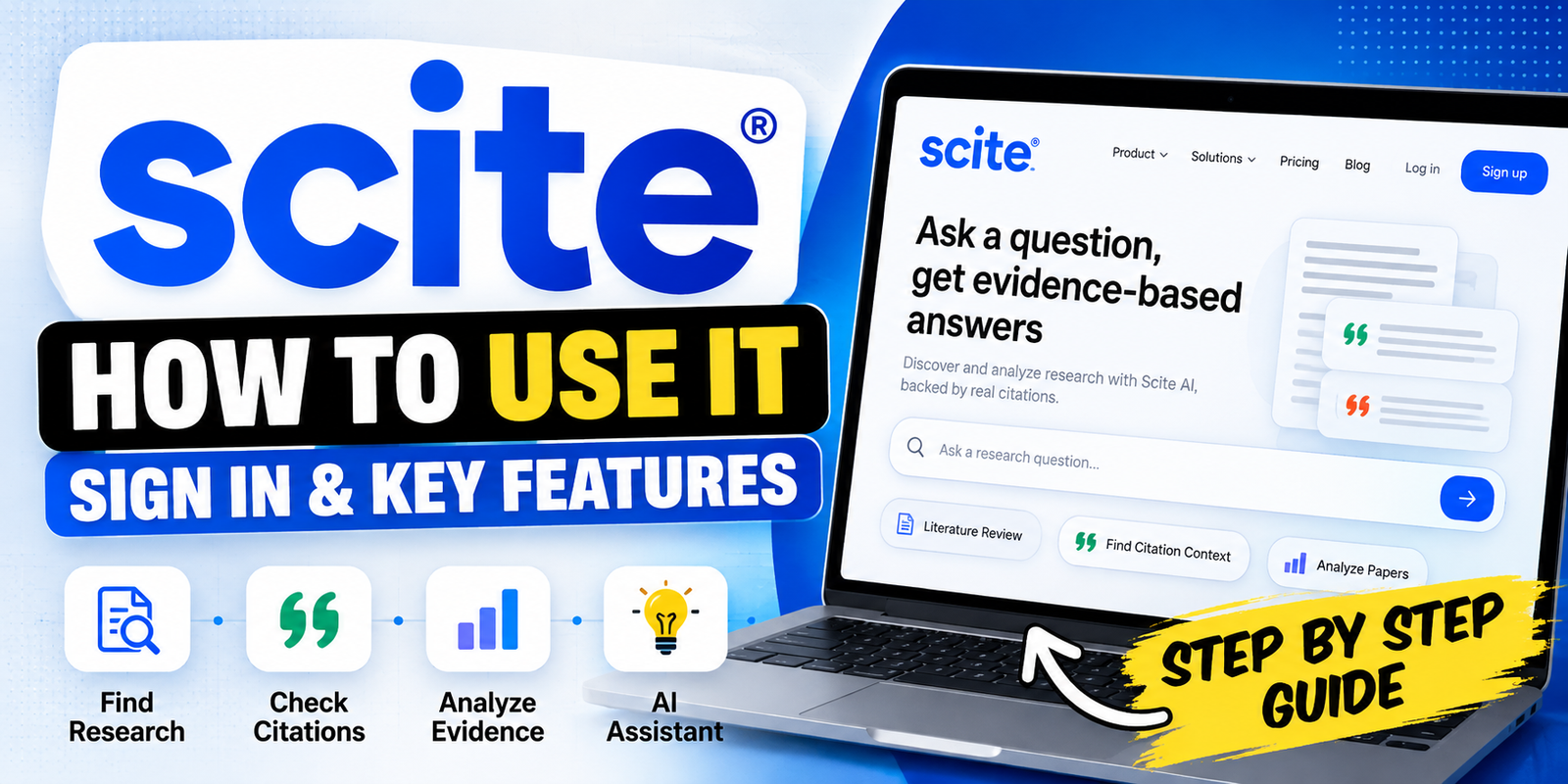
Learning your dashboard layout helps you use this powerful platform. As a complete scite ai citation tool, it keeps your work organized and efficient. The main screen serves as your command center for academic questions.
At the top, a prominent search bar starts your research. Enter keywords, DOI numbers, or specific research questions there. Efficiency is the main goal because the system quickly retrieves relevant data about each paper’s context.
Use the side or main navigation menu to open saved projects and history. This area helps you learn how to check citations with scite ai across multiple documents. Organized research helps you track important findings during review.
Find account settings in the dashboard’s upper corner. Use them to manage your subscription, update your profile, and adjust notification preferences. These intuitive controls show you exactly how to check citations with scite ai and improve research productivity.
How to Use Scite AI for Research

Learning how to use scite ai can change how you conduct academic research. It goes beyond keyword matching and helps you assess scientific claims through a more rigorous analytical lens. You collect data while actively judging the quality of evidence.
Search for Research Papers
When you begin, knowing how to find research papers using Scite AI is your main goal. Enter a topic or specific DOI in the search bar to find relevant publications. The platform highlights high-impact studies that match your query.
You can refine searches with filters for publication date or journal type. These tools narrow the information and help you find the most relevant and current studies.
Read Citation Statements
After selecting a paper, you can see how other researchers cited it. Scite AI extracts the exact sentences that mention the paper, showing the context of the citation. This feature shows how researchers discuss the work.
Instead of using only citation counts, you gain a clearer view of the paper’s impact. You can quickly see whether researchers cite it as a foundation or a point of contention.
Find Supporting and Contrasting Citations
A major benefit of learning how to use scite ai for research is sorting citations. The platform labels each citation as supporting, mentioning, or contrasting. You can see whether later research has validated or challenged the study.
Focusing on contrasting citations can reveal gaps or weaknesses in a theory. This analysis helps you build a balanced, well-supported argument in your writing.
Explore Research Sources
Finally, explore the wider network of research sources linked to your topic. Click citation metrics to find original articles that reference your chosen paper. This deep-dive capability helps you trace a scientific idea over time.
Using these tools will significantly improve your literature reviews. You can synthesize information with greater confidence and precision.
How to Use Scite Assistant
To streamline your research, learn how to use the scite ai assistant effectively. This tool acts as a conversational partner for navigating vast academic literature. It helps you find relevant information without scanning hundreds of pages yourself.
Ask a Research Question
For strong results, frame your questions clearly and briefly. The scite ai assistant works best with specific context or a defined research scope. Focus on mechanisms, outcomes, or comparative studies instead of broad questions.
- Use clear, academic language for your queries.
- Include specific variables or fields of study.
- Refine your questions based on the initial output provided.
Review AI-Generated Answers and Sources
After receiving an answer, verify the information carefully. Treat it as a starting point for your research, not a final conclusion. Direct links to the source papers let you check the evidence yourself.
Examine each citation statement to see whether its context fits your needs. Open the sources to confirm that the original authors support the AI’s claims. This critical evaluation keeps your work accurate and supported by peer-reviewed evidence.
Key Features of Scite AI

Use scite ai features to improve your academic workflow. These tools help you explore complex literature with greater speed and accuracy. Together, they give you a deeper understanding of how scientific ideas change over time.
Smart Citations
Smart Citations show exactly how other researchers cite a paper. Rather than a reference list, you can see each citation’s specific context. This helps you decide whether a study offers supporting evidence or presents contrasting findings.
Citation Reports
Citation Reports give a broad view of a paper’s impact within the scientific community. You can assess citation quality to judge a publication’s reliability. This feature is invaluable for researchers checking source credibility quickly.
Research Discovery
Research Discovery makes finding relevant academic papers easier. Advanced search algorithms help you find hidden links between studies. These scite ai features reduce search time, leaving more time for analyzing high-quality data.
Scite Assistant
Scite Assistant serves as a personal research companion. It answers complex questions using verified literature. It combines information from millions of full-text articles to give accurate, evidence-based responses.
Using these scite ai features helps you draft literature reviews and summaries with unmatched efficiency.
How to Use Scite AI for Literature Reviews
Conducting a literature review can feel like finding a needle in a haystack, but scite ai literature review tools change that. Instead of tracking down each relevant paper, use the platform to map your topic’s academic landscape efficiently.
Search your core research question first to find foundational studies. Then review citation statements to learn how researchers have used those works. This helps you judge whether a study is widely accepted or has faced serious criticism.
A successful scite ai literature review depends on spotting disagreements in the research. Filter contrasting citations to find debates that might otherwise stay hidden. This feature helps you build a balanced argument that recognizes several viewpoints in your field.
“The essence of a great literature review lies not in summarizing every paper, but in synthesizing the evidence to tell a compelling story about the state of knowledge.”
Organizing evidence becomes easier when you group papers by their impact. Categorize sources by whether they support or challenge your thesis, then structure your writing logically. This method helps make your final document comprehensive and evidence-based.
Finally, remember that a high-quality scite ai literature review develops through repeated review. Citation contexts may reveal new, relevant papers that deepen your understanding. Use these insights to refine your search and strengthen your research project’s overall narrative.
Scite AI Pricing: Free vs Paid Plans

Your choice between a free account and premium subscription depends on your research needs. When you review scite ai pricing, you will find flexible options for casual users and dedicated researchers.
The scite ai free tier offers a useful starting point for testing the tool’s core functions. Although it lets you experience the power of smart citations, usage limits may restrict heavy, daily research tasks.
If your work needs deep literature reviews or extensive data analysis, a paid plan is usually best. Paid subscriptions typically unlock advanced features, including unlimited AI assistant access and fuller citation reports. These tools can save significant time during complex projects.
Before choosing a plan, review current usage allowances and billing terms on the official website. Knowing the differences between the scite ai free model and premium tiers helps you choose support for your academic goals. Careful planning around scite ai pricing helps maximize research efficiency without overspending.
Pros and Cons of Scite AI
New technology can change your academic workflow, so weigh its benefits against possible drawbacks. Before choosing a research tool, check how it handles data and supports your goals. Knowing its strengths and limits helps you decide if the platform suits your projects.
Pros of Scite AI
The platform offers several distinct advantages for your literature review. These features can greatly streamline your work and help you judge the evidence.
- Contextual Insights: You can see exactly how a paper is cited, whether it is supported, mentioned, or contrasted by other researchers.
- Efficient Discovery: The search functionality allows you to find relevant literature faster than traditional databases.
- AI-Powered Assistance: The integrated assistant helps you draft summaries and answer complex research questions using verified sources.
- Visual Reports: Citation reports provide a clear, visual overview of how a specific paper or author has influenced the field.
Cons of Scite AI
The tool is powerful, but no technology works perfectly. Stay aware of limits that could affect your research experience.
- Access Restrictions: Some full-text content may be behind paywalls, limiting the depth of the analysis you can perform.
- Learning Curve: Mastering the interface and interpreting the citation statements effectively may require some initial time and practice.
- Source Coverage: While the database is extensive, it may not include every niche journal or older publication in your specific field.
- Human Judgment Required: The AI provides excellent support, but you must always apply your own critical thinking to verify the accuracy and relevance of the generated results.
The platform’s value depends on how well it fits your unique research habits. Balancing these pros and cons can improve productivity while preserving the rigor required for high-quality academic work.
Is Scite AI Worth Using?

You may wonder whether this specialized platform supports your daily workflow. A thorough scite ai review shows its value for researchers who need deep citation analysis. It also helps them avoid misleading academic claims.
If you want faster literature reviews based on verified evidence, this tool may be a strong match. It shows how other authors cited a specific study.
However, not every researcher needs detailed citation data. If this platform does not fit your research habits or budget, compare several scite ai alternatives. You may find a better fit.
Elicit and Consensus offer different ways to discover research with AI. These scite ai alternatives may work well with your current software. Comparing them can help you avoid paying for unused features.
Ultimately, the platform’s value depends on your academic goals. If you struggle to separate supporting from contrasting evidence, its cost may be a small price for clear, confident writing.
Frequently Asked Questions About Scite AI
New research platforms often raise practical questions. Here are answers about access, features, and whether is scite ai free to use for academic work.
Is Scite AI free?
Scite AI uses a tiered model for different user needs. It includes a limited trial, but you may ask whether is scite ai free to use permanently. Full access to advanced features requires a paid subscription, while basic searches remain available.
Is Scite AI good for research?
Many scholars and students use the platform for streamlining literature reviews. Citation statements show whether a paper supports or contradicts a specific claim. This transparency helps verify source credibility.
How do I log in to Scite AI?
Go to the official website and choose the login option. Enter your registered credentials to access your account. If problems occur, check your internet connection or use the password recovery link.
What is Scite Assistant?
Scite Assistant is an advanced AI-powered tool for complex research questions. It uses verified, full-text papers and provides evidence-based responses with direct citations. This saves time when searching large databases for relevant information.
Final Thoughts
Scite AI changes how you use academic literature by offering clear insights into citation context. You can see how research papers support or challenge existing theories. It also streamlines your work when you verify claims or build a strong literature review.
Research success depends on evaluating sources with a critical eye. Scite AI provides powerful automation, but you remain the main judge of the information you collect. Use its features to support your expertise, not replace your own analytical judgment.
Choose the subscription plan that matches your academic or professional goals. Start by exploring the platform to see how it fits your daily research habits. Open the dashboard today to experience a more efficient way to navigate the vast world of scholarly publishing.