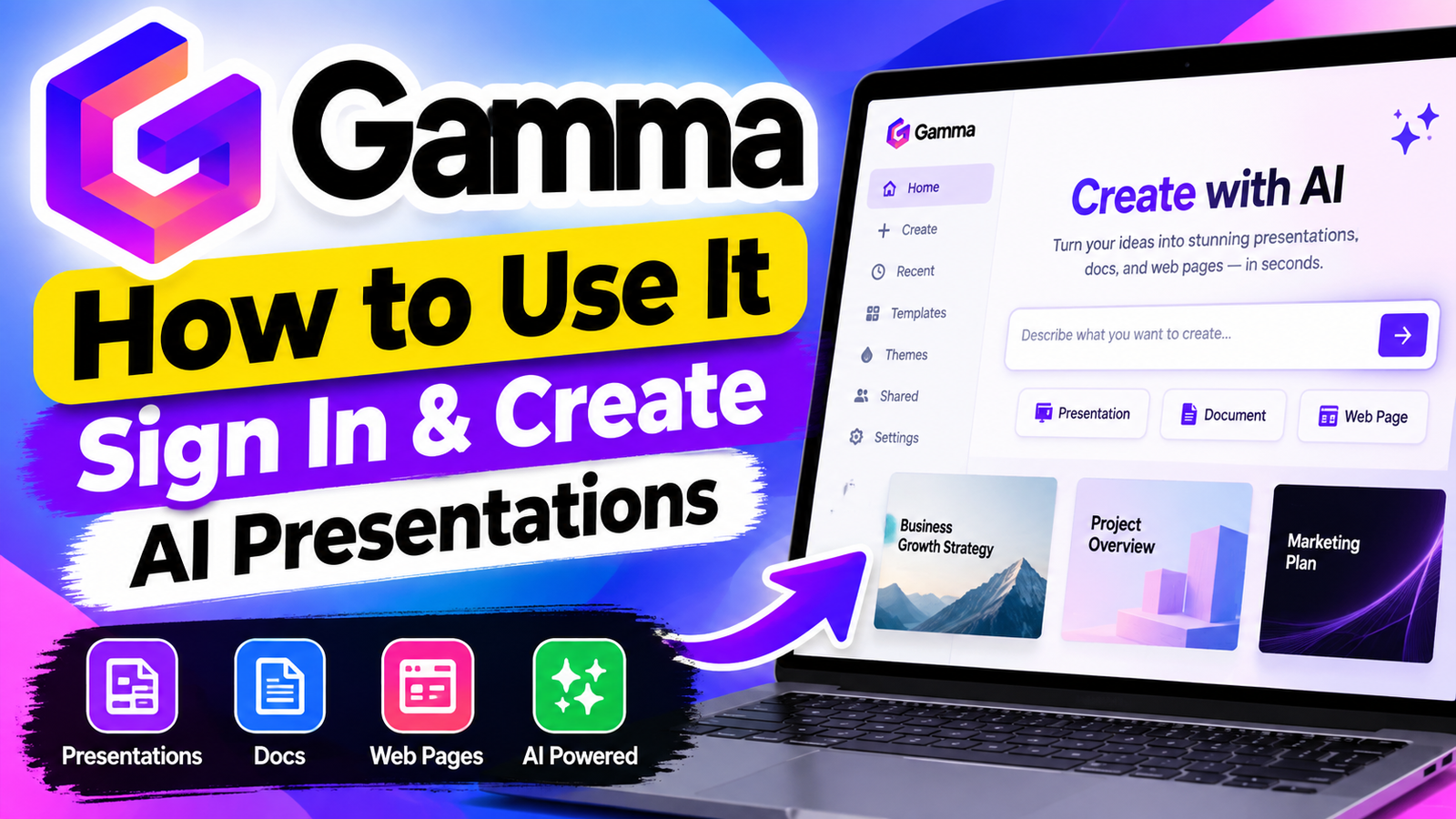
Creating professional documents and visual slides can take hours of valuable time. Modern technology offers a faster way to turn rough concepts into polished, engaging results. gamma ai helps you begin without facing a blank page.
This comprehensive guide helps you quickly master gamma ai. You will learn to sign up, log in, and build your first project with ease. It covers key features, smart prompts, and pricing details for a better experience.
Whether you are a complete beginner or refining your workflow, this gamma ai guide gives you the steps you need. Unlock your creative potential and transform how you build presentations today.
Key Takeaways
- Learn the simple process to sign up and access your account.
- Discover how to generate professional slides using basic text prompts.
- Master key features to customize your visual content efficiently.
- Understand the best practices for writing effective prompts.
- Explore pricing options to choose the right plan for your needs.
What Is Gamma AI?
Gamma AI acts as a creative assistant that turns simple text prompts into polished visual assets. This powerful platform helps you create professional presentations, documents, and webpages with less work. Advanced machine learning cuts the tedious manual labor linked to design and formatting.
Students, business professionals, and creatives can use this platform to share ideas with clarity and impact. You can focus on your message instead of adjusting layouts or searching for the perfect template. The software handles the visual work for you.
How Gamma AI Works
You might wonder, how does gamma ai work in practice. First, you enter a topic or instructions into the interface. The system analyzes your request, then creates a structured outline and relevant content.
After the first draft, you control the final look. Swap images, adjust text, or change the color palette to fit your needs. This simple workflow creates an output that is both unique and professional.
What Can You Create With Gamma AI?
This platform lets you create many types of digital assets. You can build interactive webpages and detailed documents, not just standard slide decks. They look great on any device.
- Presentations: Create engaging slide decks for meetings or lectures in seconds.
- Documents: Draft memos, reports, or project briefs with a clean, modern aesthetic.
- Webpages: Design simple, responsive sites to share information or showcase your portfolio.
Using these gamma ai tools, you can greatly improve your productivity. Switching formats lets you reuse content for different audiences without starting over. This is a game-changer for anyone who wants to save time while maintaining high quality.
How to Sign Up for Gamma AI

Start your AI-powered workflow on the official platform. Registration gives you immediate access to tools for creating documents and designs. Visit the gamma ai website to begin.
Step 1: Visit the Official Gamma Website
Open your preferred web browser and visit the official gamma ai website. Check the domain to protect your personal information. Then, find the sign-up button in the screen’s top-right corner.
Step 2: Choose a Sign-Up Method
The platform offers flexible registration options. You can use your Google account for a seamless, one-click experience. Or, enter your professional email address and create a unique password for your workspace.
Step 3: Complete Your Account Setup
After choosing a method, provide a few basic details for your profile. These details help the system tailor suggestions to your needs. Then, you will know how to sign in to gamma ai for new projects or existing files.
How to Log In to Gamma AI
Accessing your workspace starts the process of building professional presentations. Whether finishing a project or starting one, the gamma ai login process gives you control of your creative assets.
Gamma AI Login Steps
First, visit the official website and find the access button. Enter the credentials you created during registration when prompted.
- Visit the main website and click the button labeled “Log In.”
- Enter the email address associated with your account.
- Provide your password or use the single sign-on option if you linked a Google account.
- Once authenticated, you will be redirected to your personal dashboard to manage your projects.
The gamma ai sign in feature is quick and secure. For social authentication, choose the correct provider to avoid creating a duplicate account.
What to Do If You Cannot Log In
Sometimes, you may have trouble accessing your account. If your credentials fail, first check that your caps lock key is off.
If you forget your password, use the “Forgot Password” link on the authentication screen. It sends a recovery email to your registered address, so you can reset access securely.
If trouble continues, clear your browser cache or open an incognito window. These steps often fix connectivity glitches that block a successful login. If the problem persists, check your internet connection or contact support to regain workspace access.
How to Use Gamma AI

This Gamma AI tutorial gives beginners a clear path to build their first project today. Learning how to use Gamma AI is simple and turns raw ideas into polished visuals without advanced design skills.
Step 1: Start a New Project
After accessing your dashboard, find the “Create New” button. This opens the workspace where your creative project begins. You can start from a blank slate or use an existing outline to guide the automated generation process.
Step 2: Enter Your Prompt
After starting your project, describe the content you want to create. Be specific so the AI understands your goals. Providing clear instructions about your topic and audience helps the system produce relevant results.
Step 3: Choose a Theme and Style
The platform offers visual themes for your brand or personal preference. Choosing the right style is crucial for keeping your presentation consistent. Preview different styles to see how they change your slides.
Step 4: Generate Your Content
Finally, click the generate button to let the software build your project. The system organizes your text and images into a cohesive layout. This Gamma AI tutorial shows you can easily refine or edit any section after the initial generation is complete, helping you know exactly how to use Gamma AI to achieve the perfect final result.
Gamma AI Features
These tools show why the platform is popular with professionals. It combines multiple gamma ai features in one interface, saving time while keeping your work high quality.
AI Presentation Generator
The gamma ai presentation maker turns ideas into professional slide decks in seconds. Enter a topic, and it creates a full outline with useful content and images.
- Automated slide generation based on text prompts.
- Instant conversion of long documents into visual slides.
- Smart content suggestions to keep your audience engaged.
AI Writing and Document Creation
The platform also works as a flexible writing assistant. It helps you draft reports, memos, and web pages with ease. You can adjust tone and structure so your message stays clear.
AI-Powered Design and Layouts
A key gamma ai features is its ability to manage complex design tasks automatically. It applies professional layout rules, keeping each element aligned and balanced.
You do not need graphic design skills to create striking visuals. The software manages spacing, font hierarchy, and image placement, so you can focus on your main message.
Templates and Themes
Customization is easy with the built-in style library. For a business pitch or classroom lecture, the gamma ai presentation maker helps you choose a fitting theme.
- Wide variety of professional templates for different industries.
- Easy color palette adjustments to match your brand identity.
- Flexible theme settings that update your entire project instantly.
How to Write Better Gamma AI Prompts

Better prompts unlock the full power of your AI presentations. Specific details produce more relevant, professional results. These skills can improve your workflow.
Use Clear Instructions
The best way to guide AI is to be direct and concise. Avoid vague language, which can produce generic results. Tell the tool exactly what you need, such as “Create a ten-slide presentation about renewable energy trends.”
Focused instructions help the software understand your main goal. This approach helps anyone learning how to use gamma ai for beginners. Clear commands give the generator a roadmap.
Include Structure and Key Points
A great presentation follows a logical flow of information. List the sections or bullet points you want the AI to cover. A short list of subtopics keeps the content focused and complete.
Mention important data or arguments early in your prompt. This detail helps the AI build a cohesive narrative instead of filling space. Organizing your thoughts before generating saves time during later edits.
Specify Tone and Design Style
Your slides’ visual appeal and voice matter as much as their text. Describe the mood you want, such as “professional,” “playful,” or “minimalist.” This helps gamma ai for beginners create polished designs without manual work.
You can also mention color palettes or layout preferences. Defining the aesthetic direction helps the AI match your brand or personal style. A clear prompt creates a more impressive final product.
Gamma AI Use Cases

From classrooms to corporate boardrooms, Gamma AI offers useful solutions for modern content creation. With the gamma app, you can turn complex ideas into polished documents in minutes. It helps you meet specific goals with speed and care.
Gamma AI for Students
Students often face tight deadlines for research papers and group projects. Using gamma ai for presentations, you can organize findings into a visual format that captures your professor’s attention. It also turns long articles into clear, easy-to-read slides.
Gamma AI for Businesses
In the corporate world, time is valuable. Teams use this platform to build compelling pitch decks and internal reports that explain data clearly. Automated layouts make business proposals look professional without advanced design skills.
Gamma AI for Marketers
Marketers must create high-quality content that connects with their target audience. You can use the tool to draft campaign proposals or social media strategy outlines. Then, you can focus on your strategic messaging while the software manages the visual presentation.
Gamma AI for Teachers
Educators can create engaging lesson plans and visual aids for their students. You can generate interactive content that makes complex topics easier to understand. With the gamma app, you save hours of preparation and focus more on your students’ learning experience.
Gamma AI Pricing and Plans

Choosing the right plan gives you the tools to build a professional gamma ai presentation. Before subscribing, compare each option with your specific workflow.
Gamma AI Free Plan
The entry-level plan lets you explore the platform without an initial financial commitment. You can test its core tools and see how it handles your creative requests.
This tier suits individuals starting with automated design. However, it often has usage limits and may add branding to exported files.
Gamma AI Paid Plans
A premium subscription unlocks more of the platform for power users and teams. These plans reduce common restrictions and support a smoother experience for high-volume creators.
When you choose a paid tier, you typically gain access to:
- Unlimited project generation and storage.
- Advanced customization options for your layouts.
- Priority support for technical inquiries.
- Enhanced collaboration tools for team projects.
Gamma AI Free vs Paid
Your choice depends on your long-term goals and how often you work. Compare the gamma ai features and benefits with your monthly output to find the best fit.
Consider these factors before making your final decision:
- Usage Volume: Do you create content daily or only on occasion?
- Collaboration Needs: Do you need to share and edit files with a team?
- Branding Requirements: Is it important to remove platform watermarks from your work?
- Advanced Features: Do you require high-resolution exports or specialized design templates?
By reviewing these needs, you can choose a plan that supports your productivity. The right choice lets you focus on creativity instead of platform limits.
Pros and Cons of Gamma AI

Before choosing AI for slide decks, compare its benefits and possible drawbacks. This helps you gain value from your subscription while keeping your work professional.
Learning how to create a presentation with gamma ai can reshape your daily workflow. It handles design and layout, saving hours you might spend formatting slides.
Pros of Gamma AI
The platform’s main strength is its remarkable speed. It creates professional-looking slides in seconds, making it useful for tight deadlines.
- Efficiency: Rapidly turn simple text prompts into full slide decks.
- Design Quality: Access to modern, clean, and responsive templates that look great on any device.
- Ease of Use: The intuitive interface requires very little technical skill to master.
- Flexibility: Easily adjust themes and styles to match your specific brand identity.
Cons of Gamma AI
The tool is powerful, but it cannot replace human creativity. Review every deck for accurate content and a consistent tone.
When you learn how to create presentations with gamma ai, you may find that AI sometimes struggles with complex data visualization. You may need to edit charts or specific layouts by hand to achieve the exact look you want.
- Editing Limits: Deep customization of complex elements can sometimes feel restrictive compared to traditional software.
- Content Review: The AI may occasionally produce generic text that requires your personal touch to sound authentic.
- Learning Curve: While simple, mastering the best prompting techniques takes time and experimentation.
- Dependency: Relying too heavily on automation can sometimes lead to a lack of unique creative flair in your final output.
The best results come from a partnership between human intuition and machine efficiency.
Gamma AI Tips for Beginners

Learning how to make a presentation using Gamma AI gets easier with a clear plan. Choose a clear, focused topic before writing your first prompt. A narrow subject helps AI create useful, high-quality slide content.
When the first draft is ready, do not accept it without checking. Take time to review every slide and make sure the flow supports your goals. Check each fact because AI tools can make errors that need human correction.
Refining your prompts is an important skill for every user. If the result misses the mark, add details about your audience or desired structure. Clear instructions help the system understand what your project needs.
Following a gamma ai presentation tutorial can help you learn the platform’s design features. Use these habits to improve your results:
- Maintain visual consistency by selecting a single theme for your entire deck.
- Use the editing tools to adjust layouts if the AI-generated design feels too crowded.
- Experiment with different styles to see which one best fits your brand or personal message.
- Keep your text concise to ensure your audience stays engaged during your presentation.
Stay consistent and edit your work to create professional presentations with ease. Practice is the best way to feel comfortable with the interface and its many powerful features.
Frequently Asked Questions About Gamma AI

New AI tools often raise practical questions about access and features. Here are answers to common questions from new users.
Is Gamma AI free to use?
Yes, the platform offers a free plan for testing core features. After signup, you receive credits for generating content.
For advanced features or higher limits, explore the paid subscription tiers. Check the official pricing page for current plan details.
Can Gamma AI create presentations?
Absolutely, the platform helps users build professional decks. Learning how to create slides with gamma ai is straightforward because the system manages layout and design.
Provide a prompt, and the AI creates a structured presentation. You can focus on your message while the software handles visual elements.
How do I log in to Gamma AI?
Visit the official website and select the login option. Most users sign in with Google or Microsoft for quick and secure access.
If login problems occur, check that your internet connection is stable. Use the “forgot password” link if you cannot access your credentials.
Can I export Gamma presentations?
Yes, the platform lets you export your work for sharing outside the browser. You can typically export projects as PDF or PowerPoint files.
These features help when presenting offline or sharing slides with colleagues without Gamma accounts. Check your plan’s settings for the latest export formats.
Final Thoughts on Gamma AI
Gamma AI can change how you create digital stories and professional documents. You can manage your account, use design tools, and build strong presentations.
Success starts with clear prompts that guide the software toward your vision. Try different themes and layouts to match your brand or project goals.
Review each result to ensure every slide supports your message. Choose a subscription plan that meets your needs, and watch for advanced features for power users.
Start your next project today and see how this platform saves time and improves your creative work. Your path to smarter, faster content creation begins with one click.